Noor Staffing — Timekeeping & Attendance Platform
1. Executive Summary
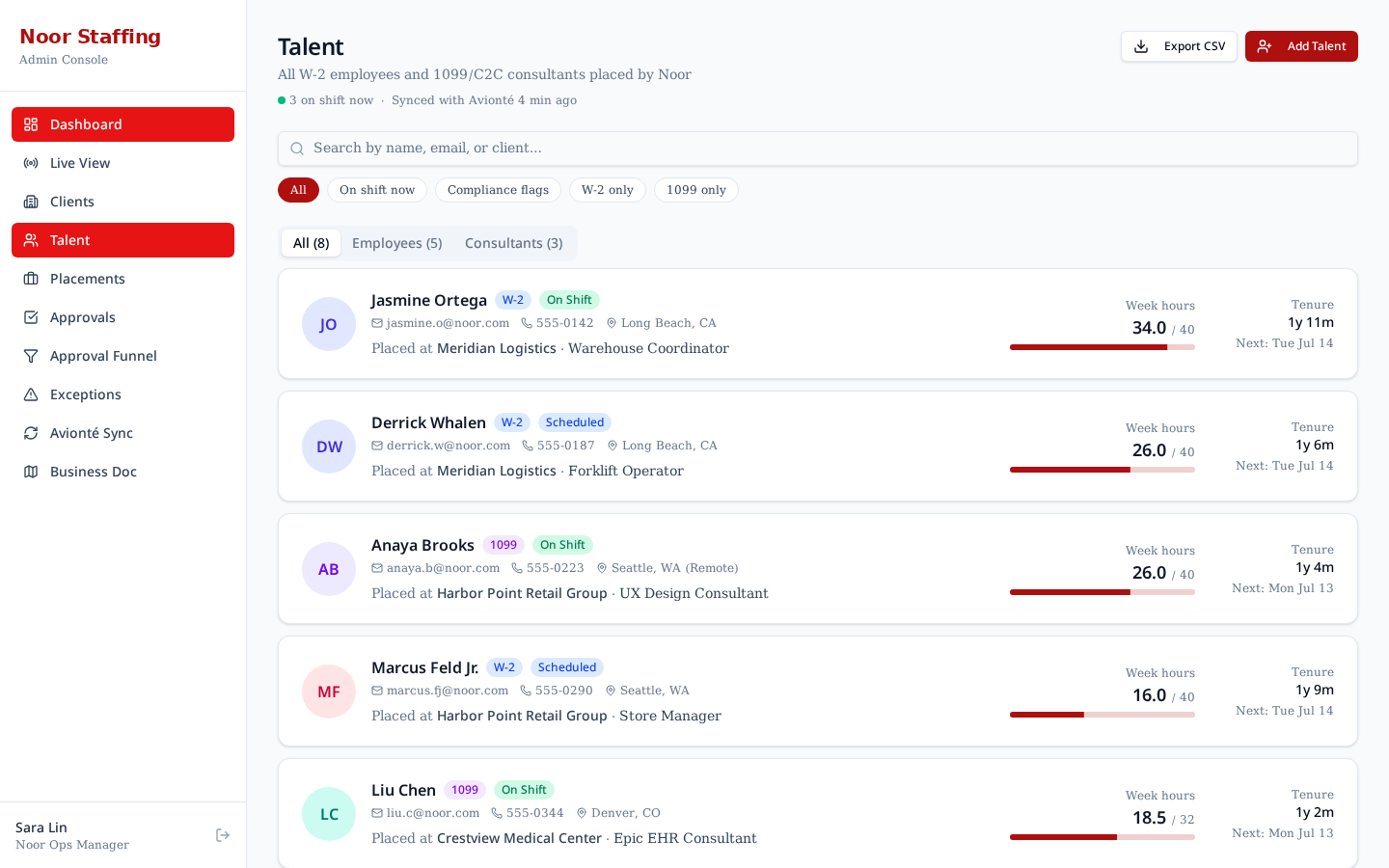
Noor Staffing Group places W-2 employees and 1099/C2C consultants across multiple client companies. Time capture today is fragmented — some clients use paper, some Excel, some their own systems — and approvals get stuck in email. The result is late payroll, invoicing disputes, and no single source of truth for hours worked.
This prototype demonstrates a unified Timekeeping & Attendance platform that:
- Captures time in one place with geofenced punch-in for W-2 employees and weekly grids for consultants.
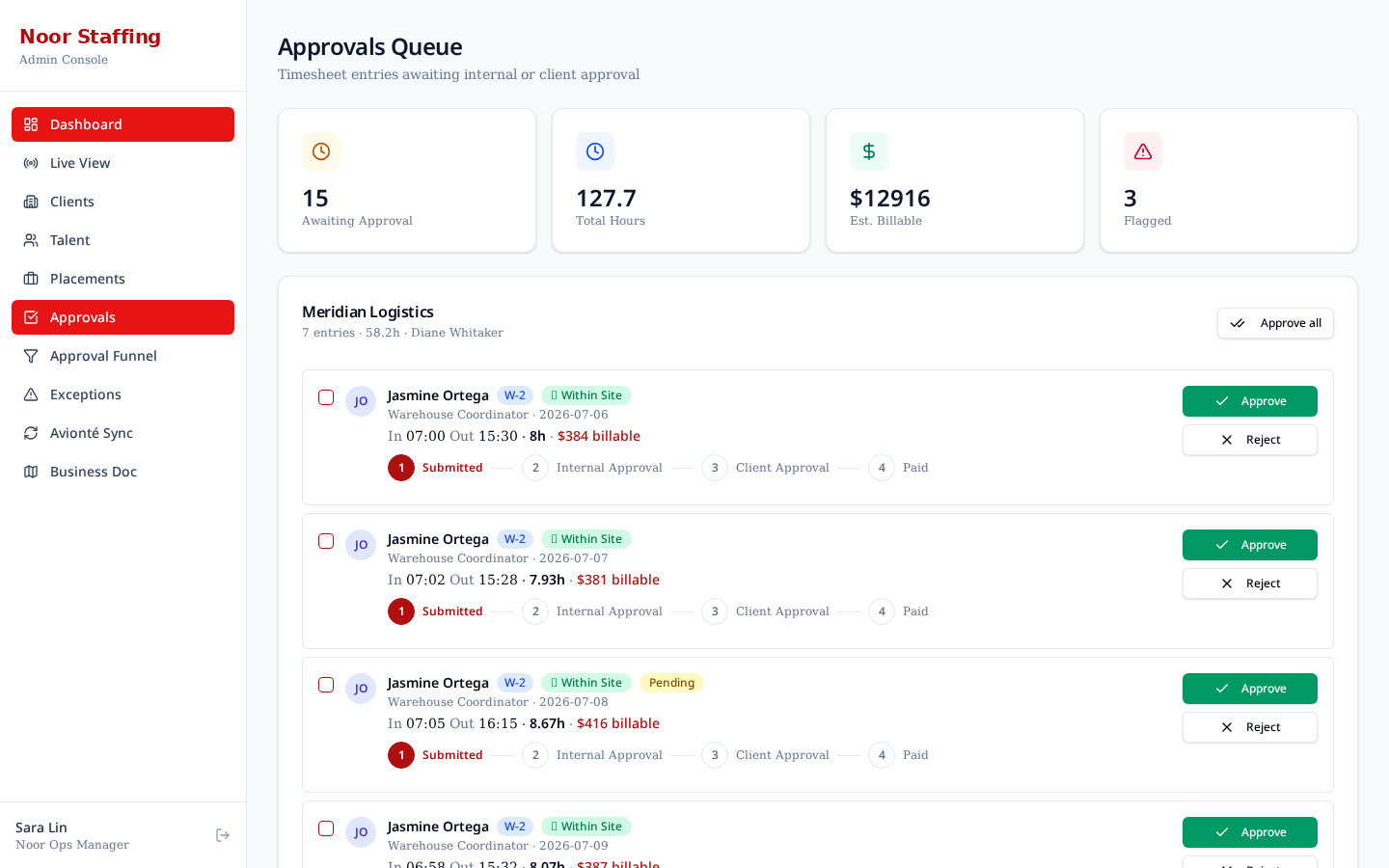
- Routes every timesheet through a configurable approval chain (internal ops → client manager) with email quick-approve.
- Syncs approved hours into Avionté for payroll and invoicing.
The build is a mock-data desktop prototype intended for the Thursday client meeting — no real backend, GPS, or Avionté connection yet. All flows and screens shown here are clickable in the live app.
2. Personas & Roles
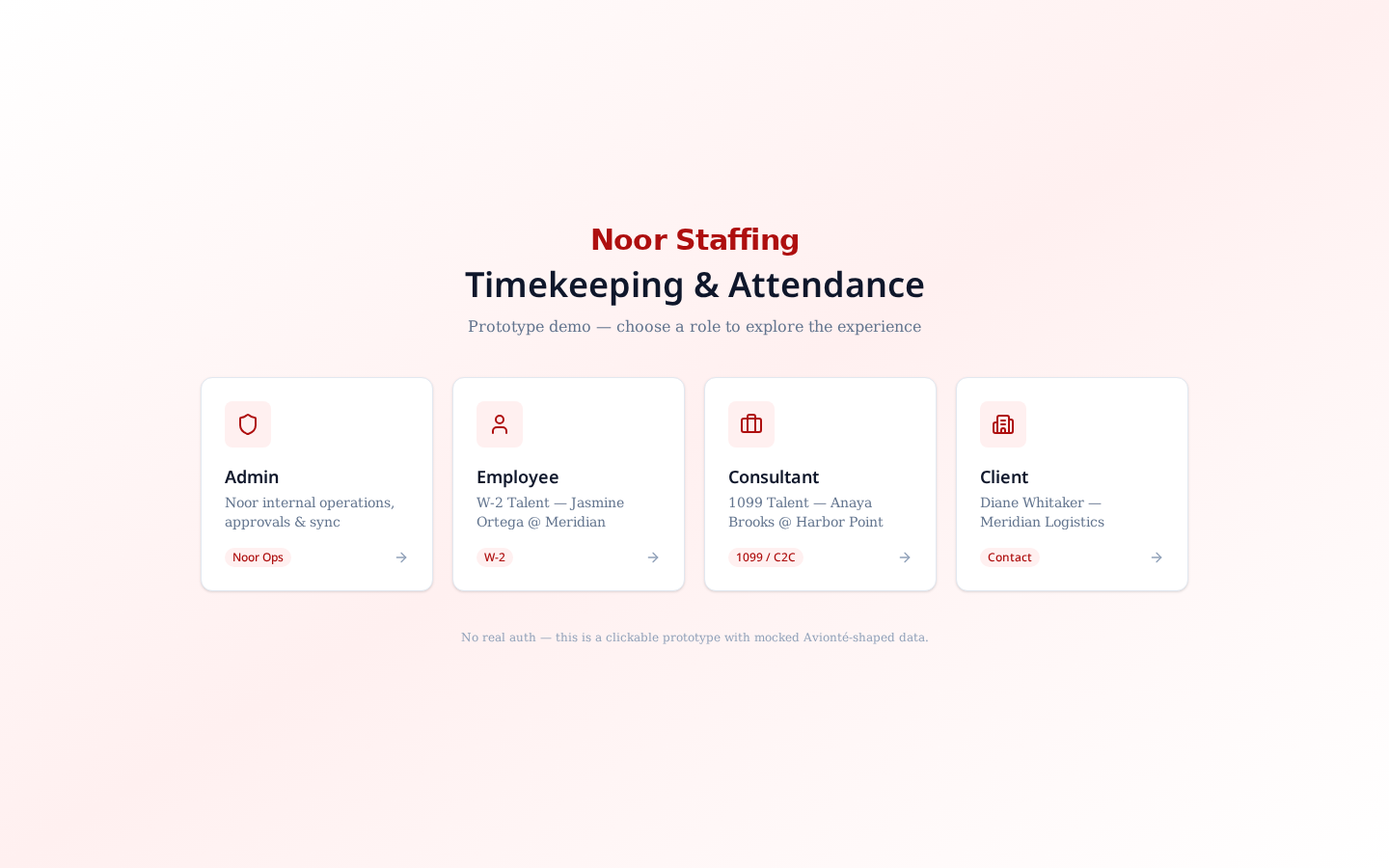
Four primary personas were identified in the Jul 13 discovery call and drive the four dashboards in the prototype.
| Persona | Primary goal | Prototype dashboard |
|---|---|---|
| Internal Admin (Noor Ops) | See every worker, every timesheet, every exception. Own final approval and Avionté push. | /admin |
| Client Manager | Approve their workers' hours quickly, ideally from an email link. See what they are being billed for. | /client |
| W-2 Employee | Punch in from the job site; see PTO balance; know what's approved. | /talent/employee |
| 1099 / C2C Consultant | Enter hours weekly, submit, know when they are paid. | /talent/consultant |
3. Product Principles
- Mock-only for now — no real auth, no real GPS, no live Avionté API. Every seed is deterministic so the demo is repeatable.
- Desktop-first — the prototype is optimised for a client meeting on a laptop; a native mobile app is a Phase-2 conversation.
- Avionté-shaped data — placements, pay/bill rates, and sync logs use Avionté field names so the eventual integration is a one-to-one mapping.
- Approvals are the product — the fastest path from clock-out to payroll wins the deal. Everything else supports that flow.
4. Information Architecture
The prototype has one landing route that switches into four role-scoped areas.
| Area | Routes | Notes |
|---|---|---|
| Landing | / | Role picker (demo only) |
| Admin | /admin, /admin/live, /admin/clients, /admin/talent, /admin/placements, /admin/approvals, /admin/funnel, /admin/exceptions, /admin/sync, /admin/roadmap | Noor internal ops |
| Client | /client, /client/approvals, /client/email, /client/workers | External client manager |
| Talent (Employee) | /talent/employee, /talent/employee/timesheet, /talent/employee/pto, /talent/employee/placement | W-2 |
| Talent (Consultant) | /talent/consultant, /talent/consultant/timesheet, /talent/consultant/placement | 1099 / C2C |
5. Design System
The visual language is intentionally understated — a professional operations tool, not a marketing site. All UI is composed from a small set of shared primitives so every page looks like it belongs in the same product.
- Palette: Noor blue (`noor-600` / `noor-700`) as the primary; slate for text; emerald/amber/red for state.
- Typography: system UI stack with a strong bold weight for headings and page titles.
- Primitives: `PageHeader`, `StatCard`, `FilterBar`, `AvatarInitials`, `StatusBadge`, `ApprovalStepper`, `DetailDrawer`.
- Layout: fixed left sidebar (`AppShell`) with role-specific navigation; every screen uses the same page header + card grid.
6. Admin Experience (Noor Ops)
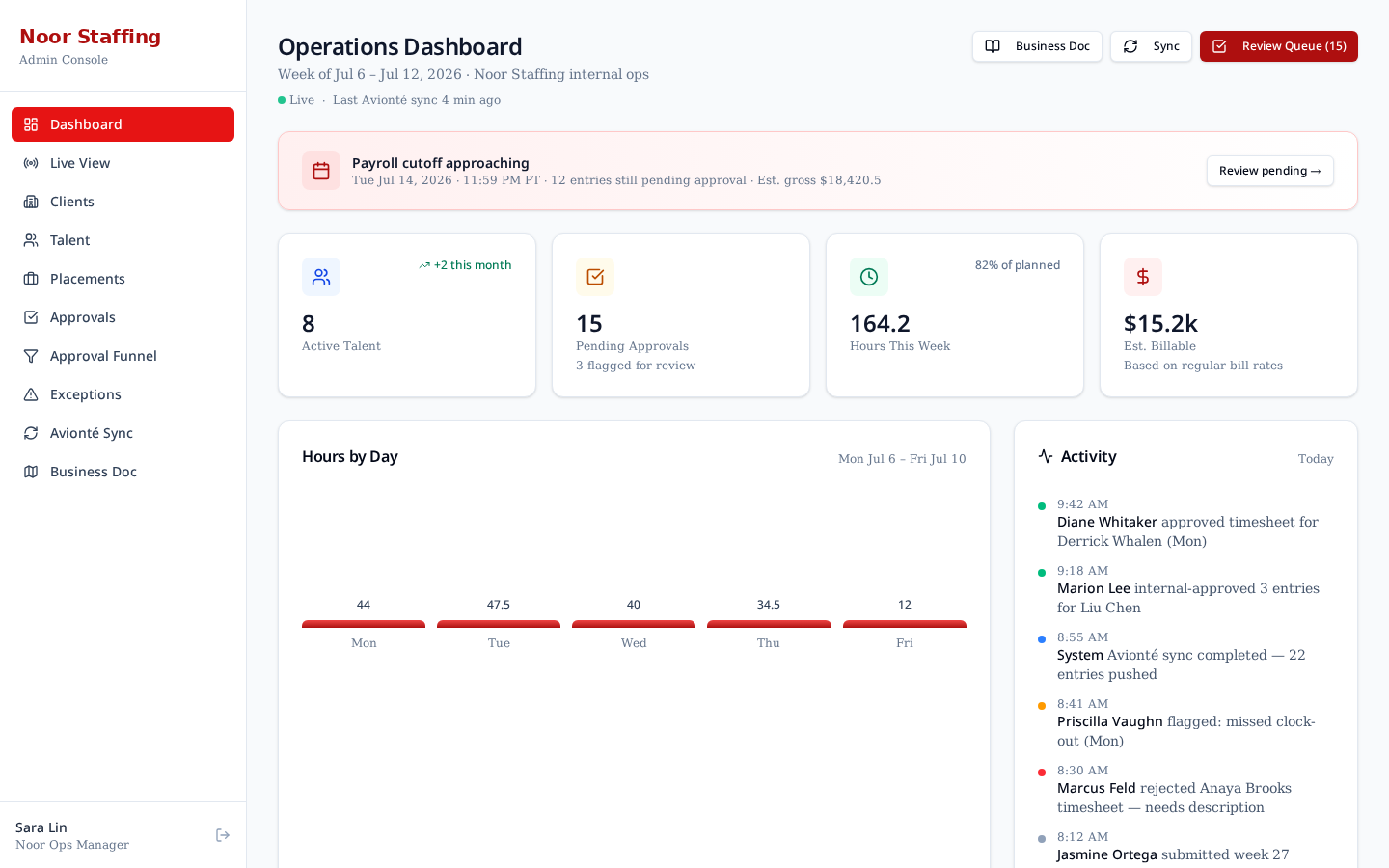
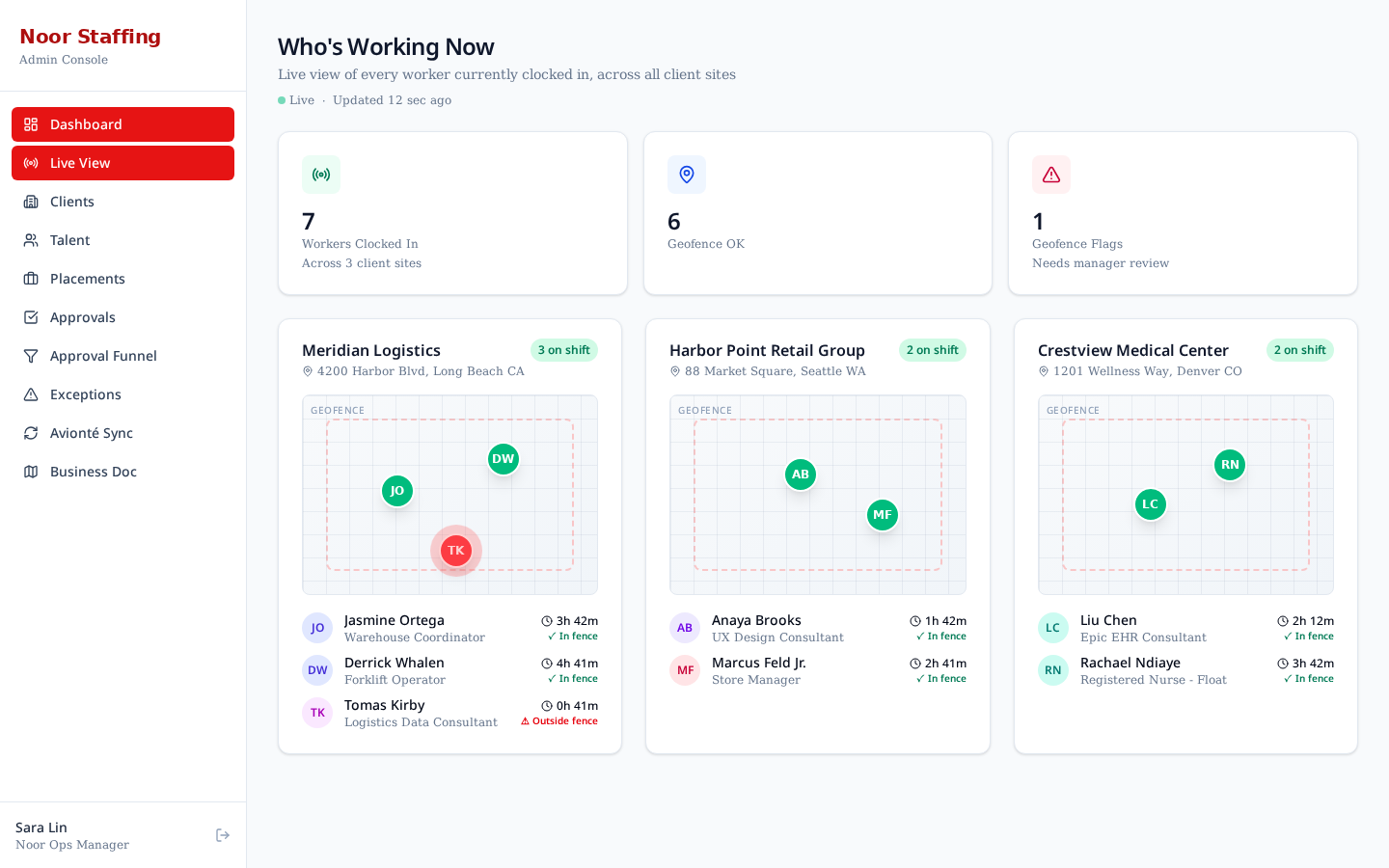
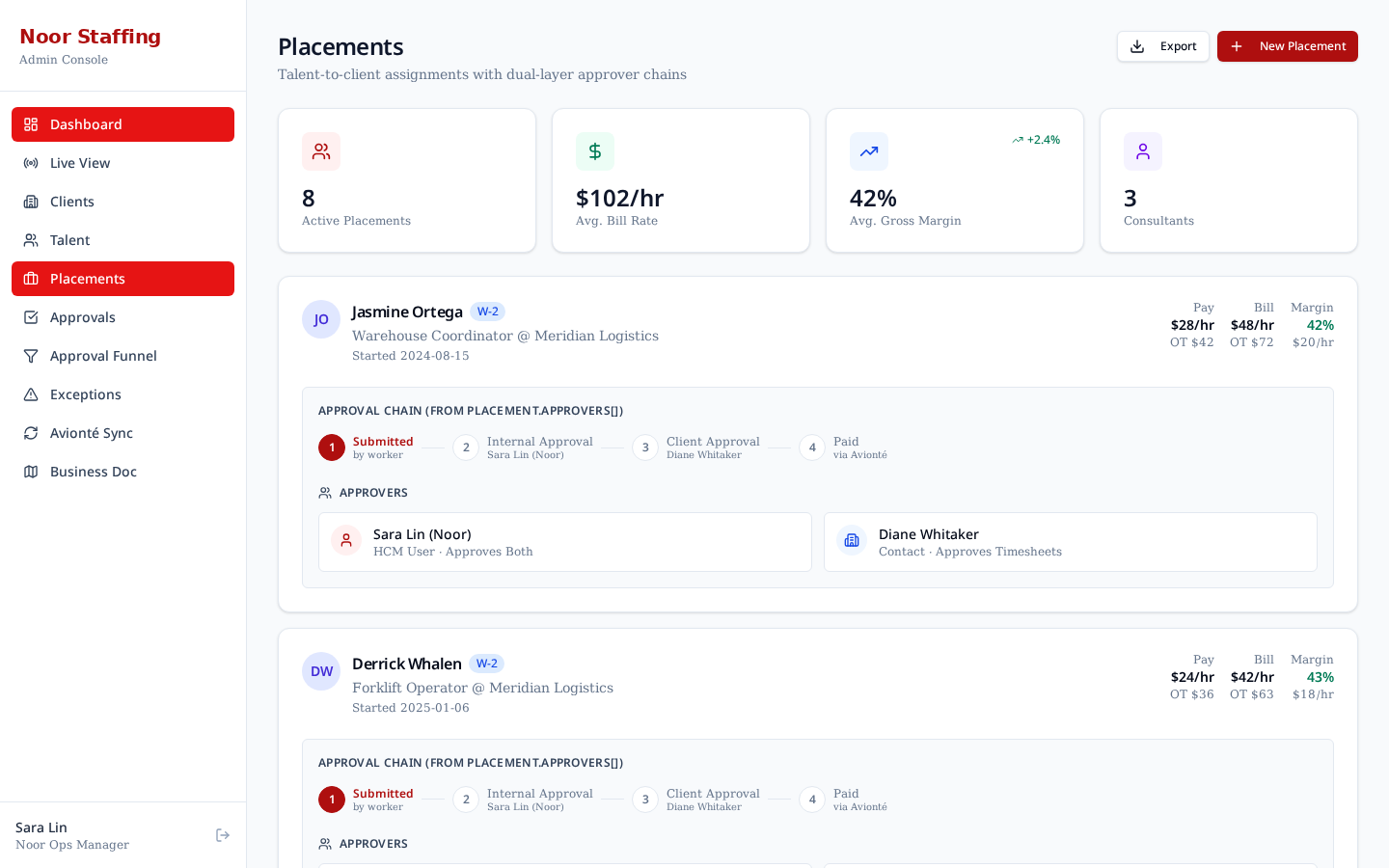
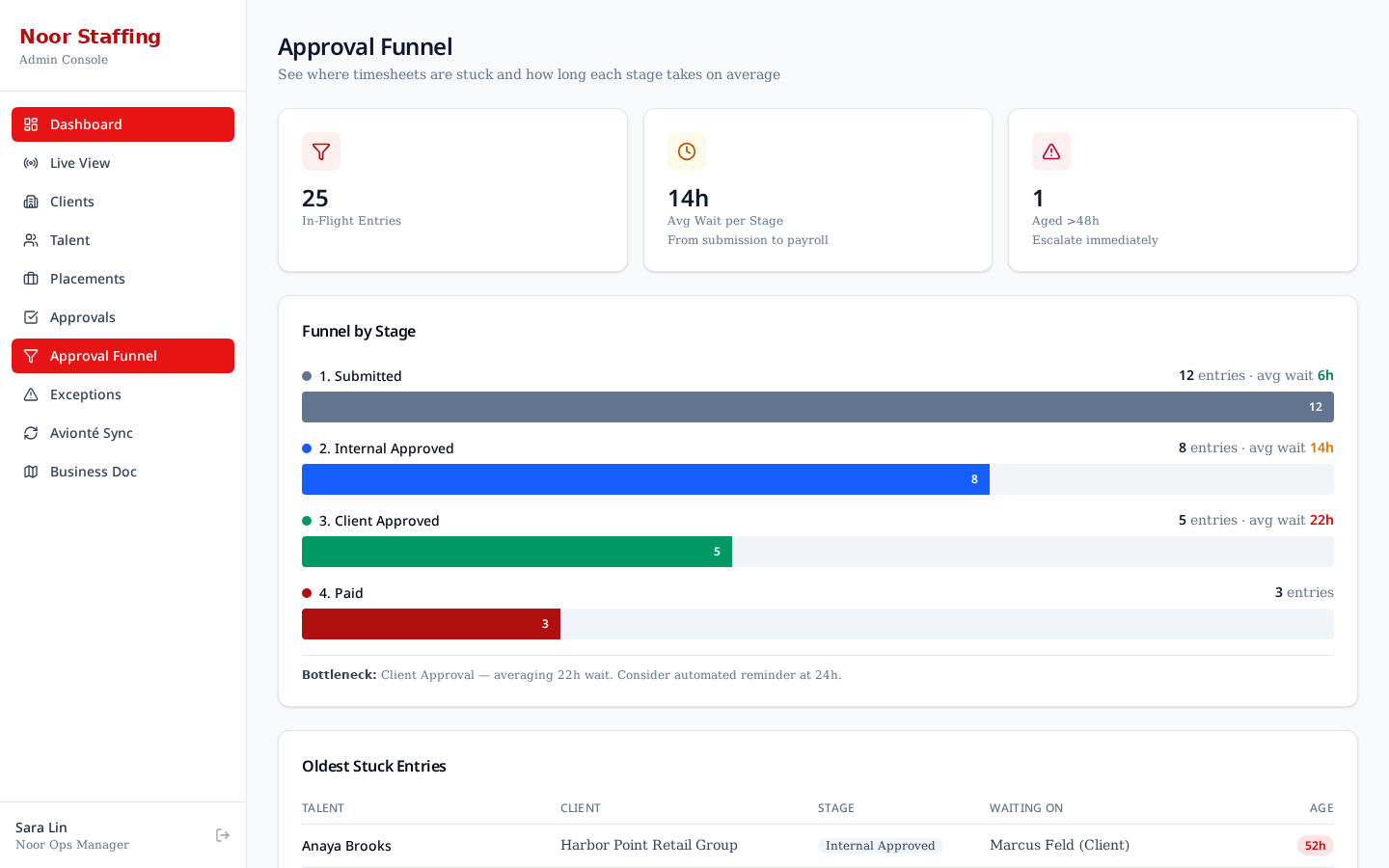
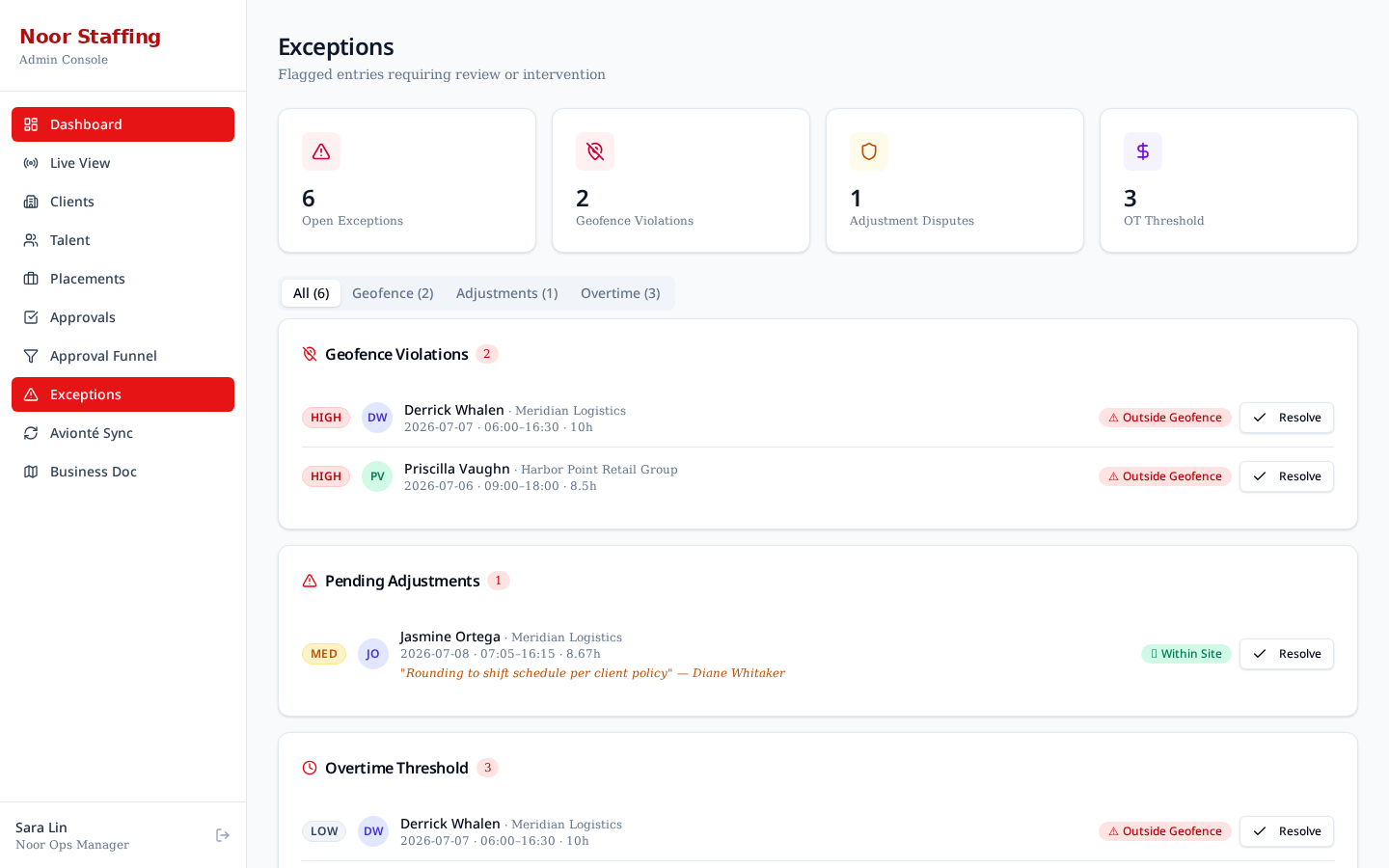
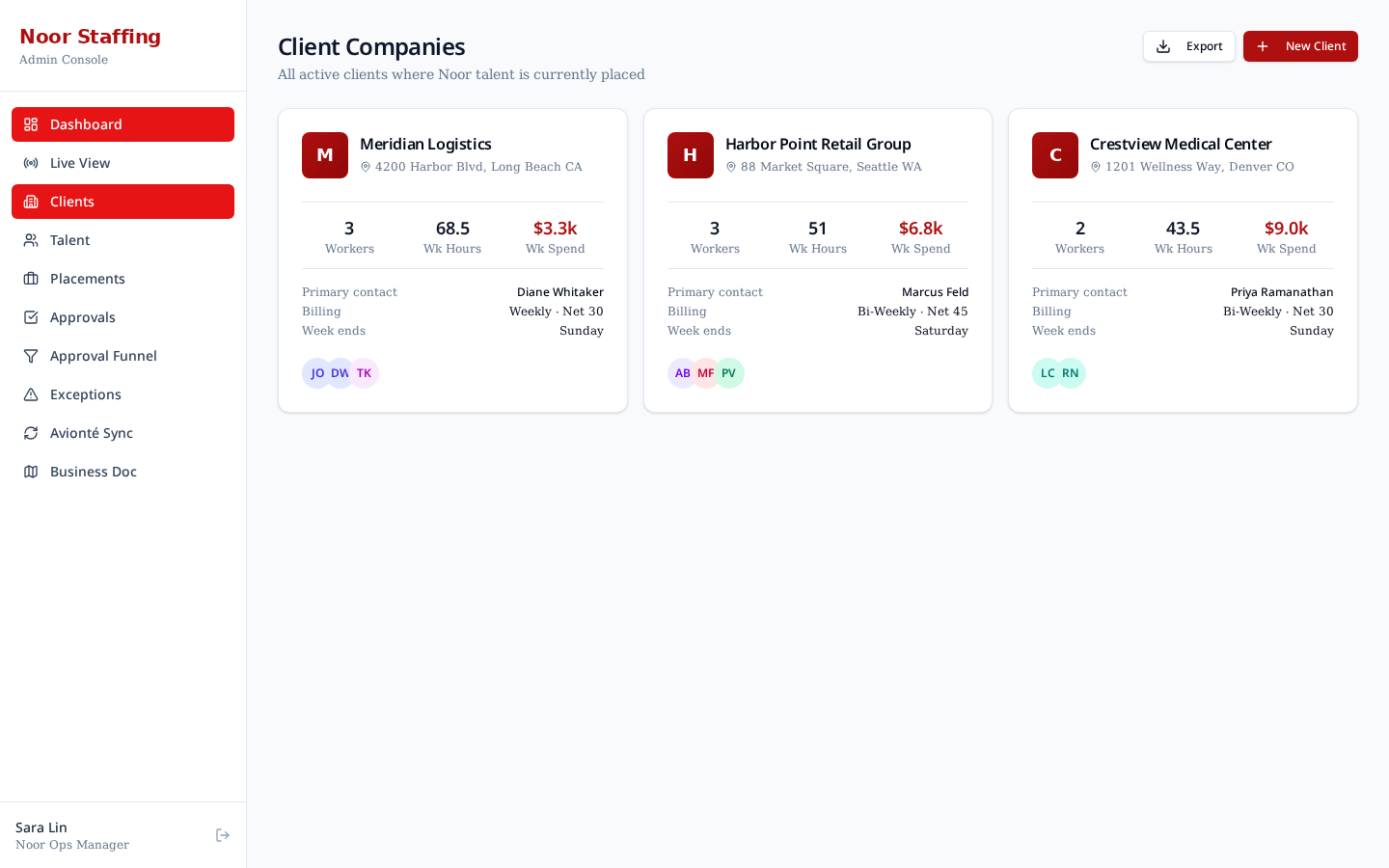
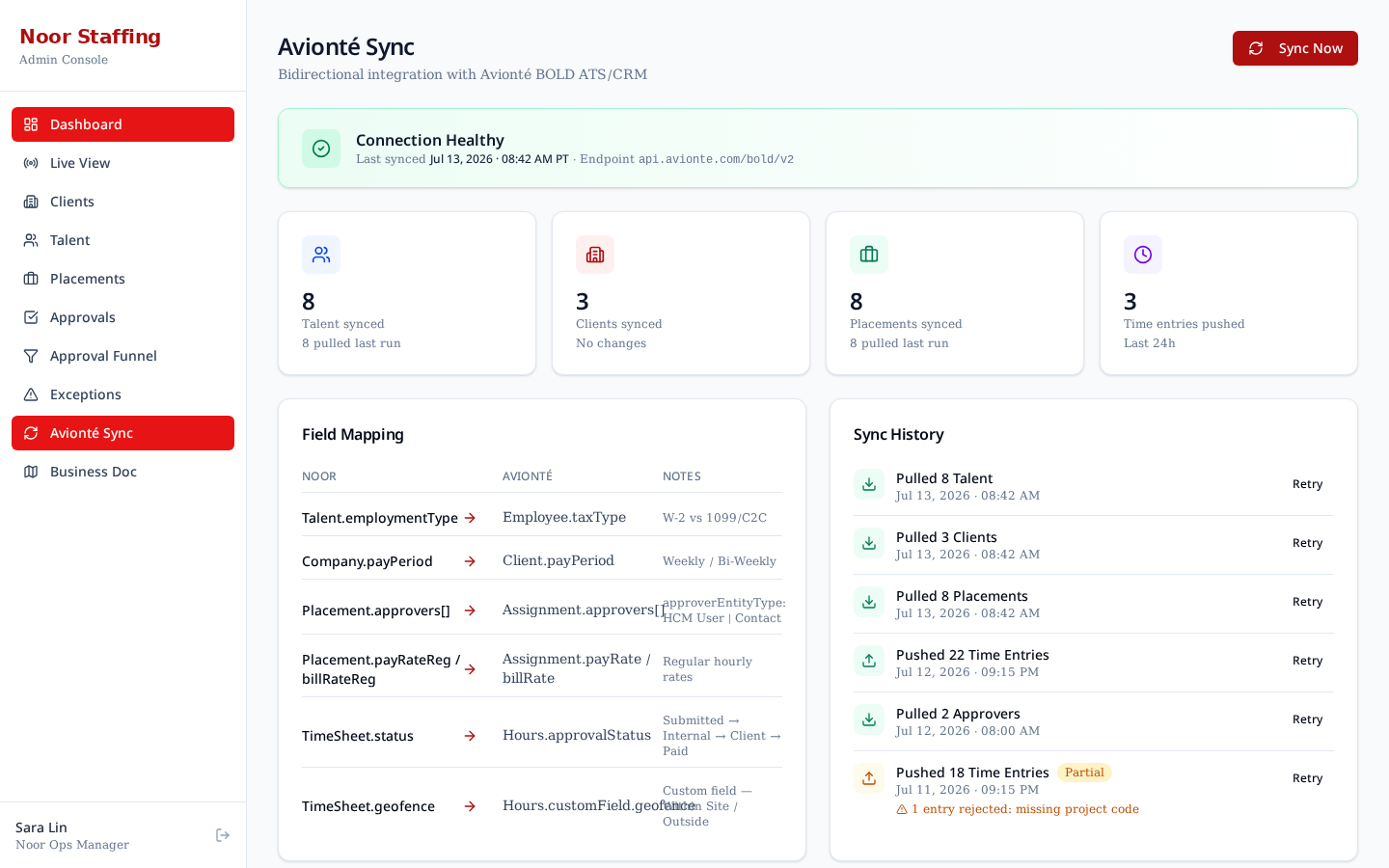
The admin area is the internal source of truth. It shows every worker, every timesheet, every exception, and owns the final push to Avionté.
7. Talent Experience
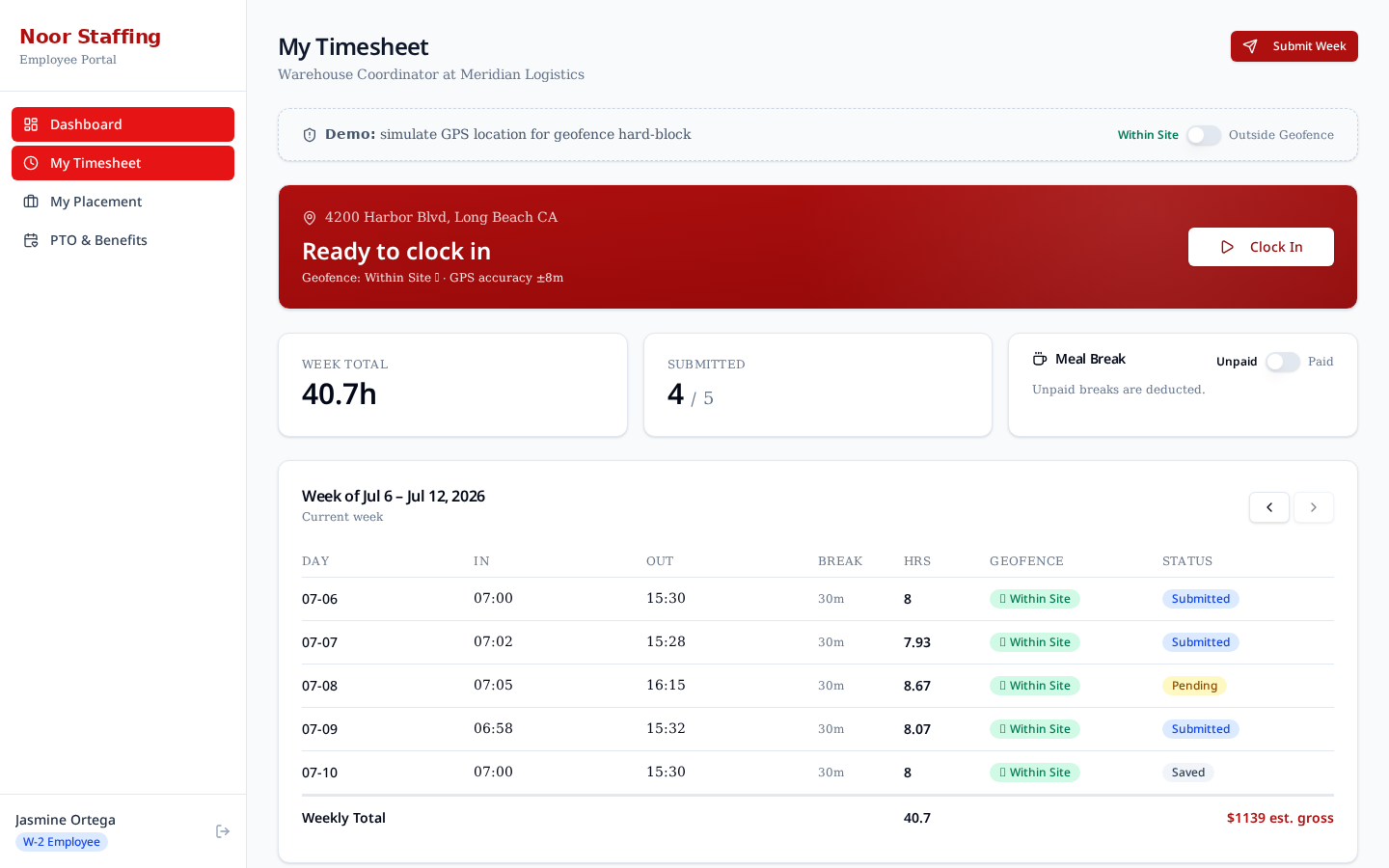
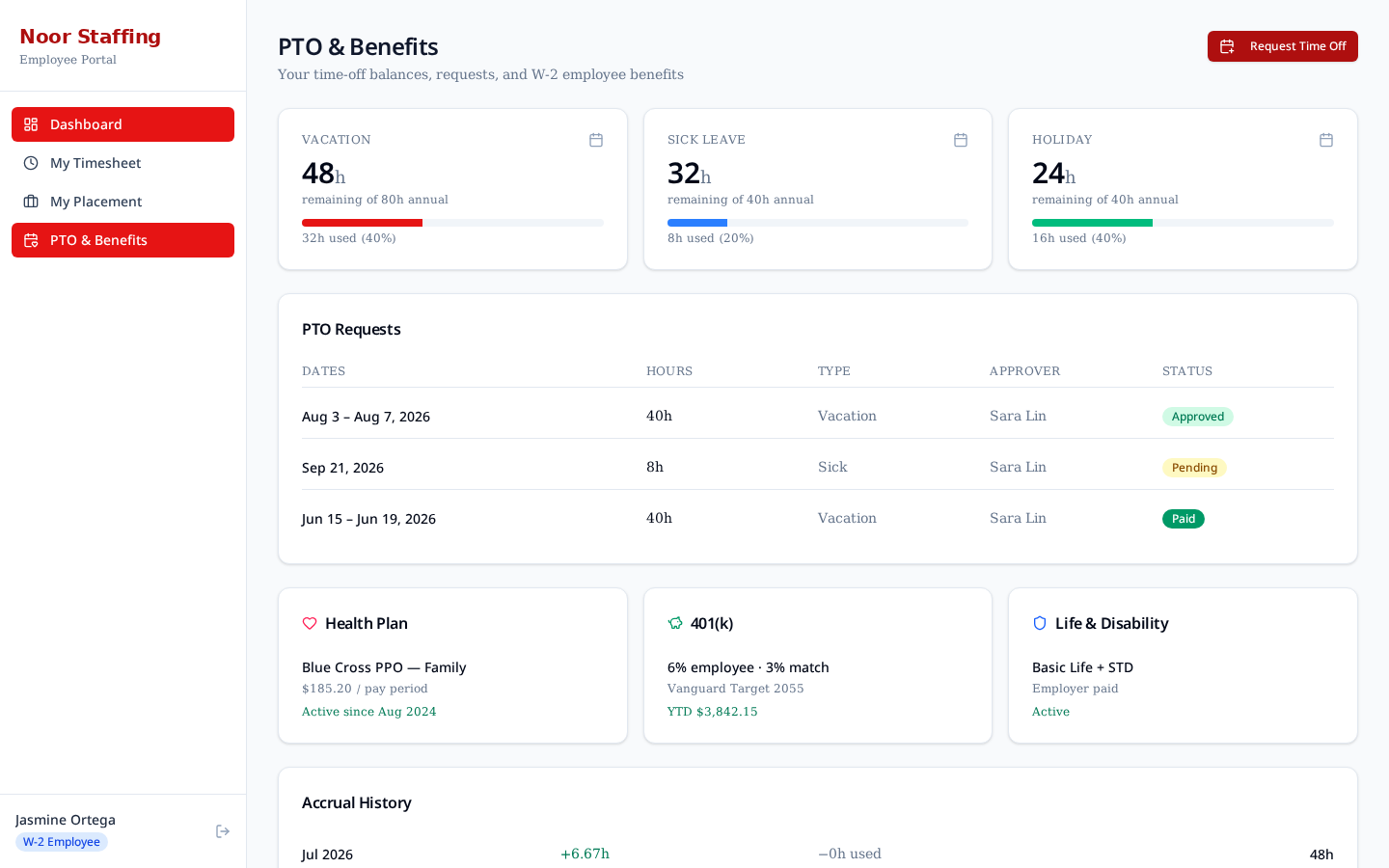
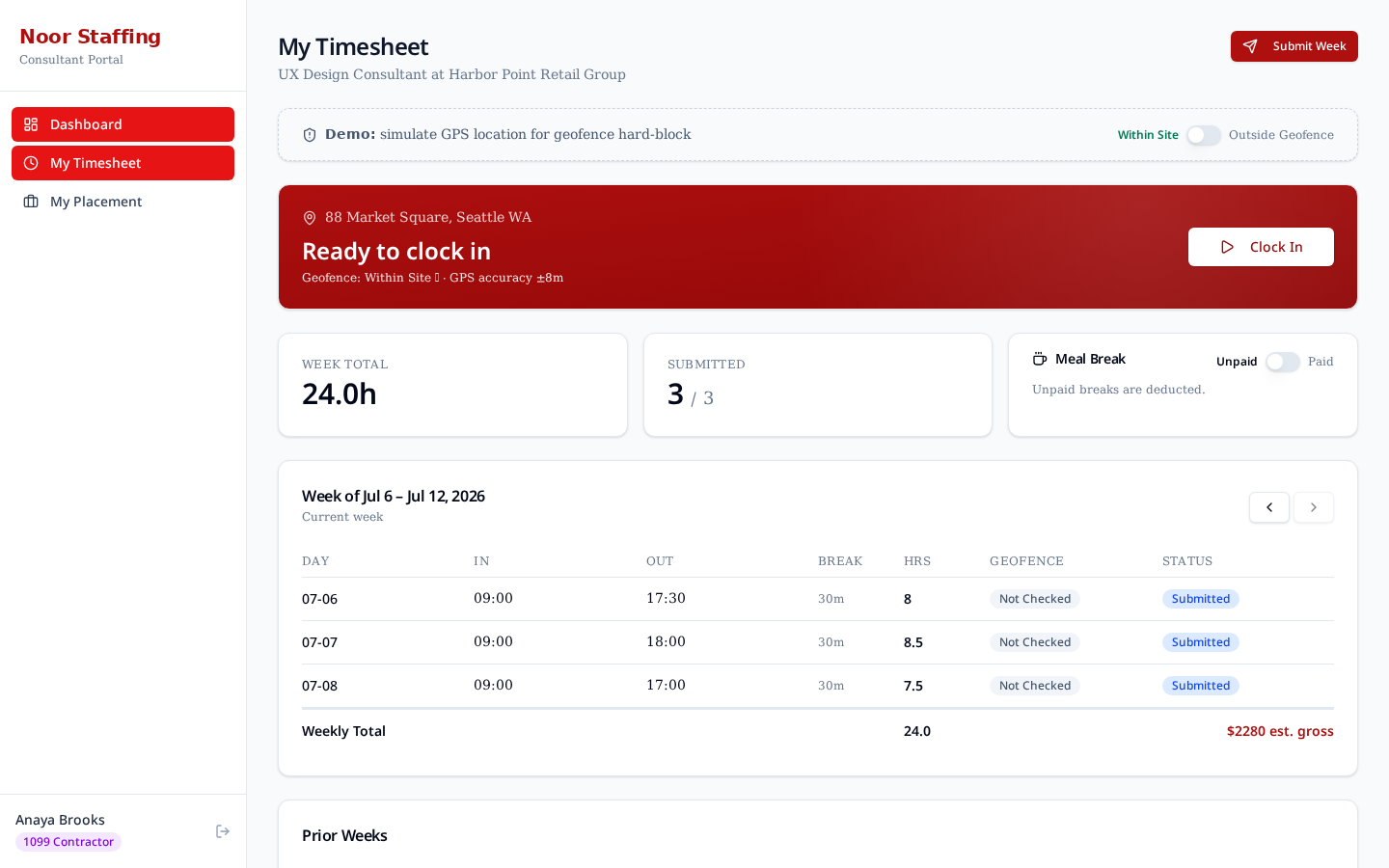
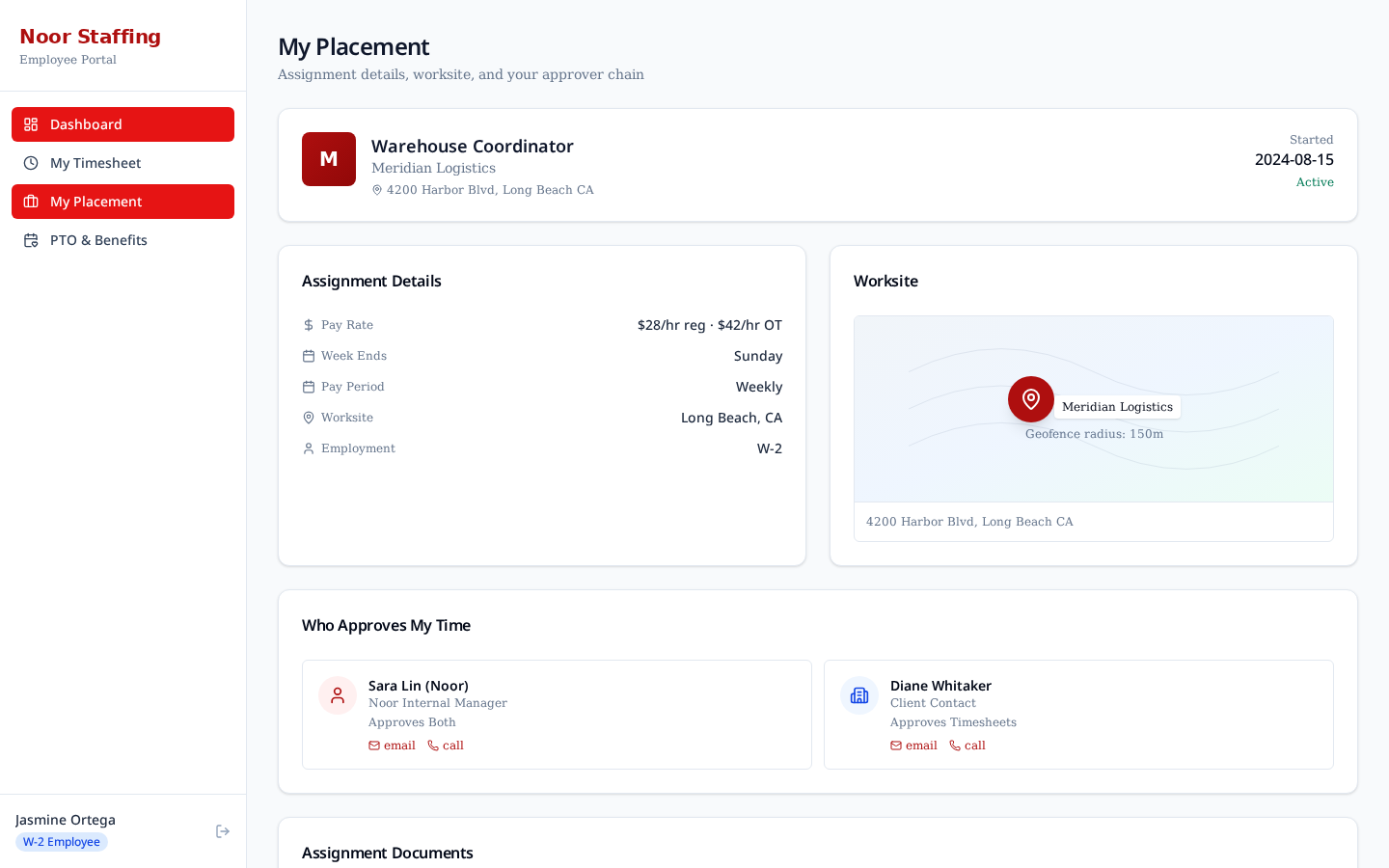
Two variants of the same shell — employees clock in and out with geofence enforcement; consultants enter weekly hour grids. Both see their own placement details, adjustment history, and PTO / accrual where applicable.
The employee timesheet includes a live geofence simulation: toggling 'Outside Geofence' disables the clock-in button and triggers a blocking modal, mirroring the hard-block policy Noor asked for.
8. Client Experience
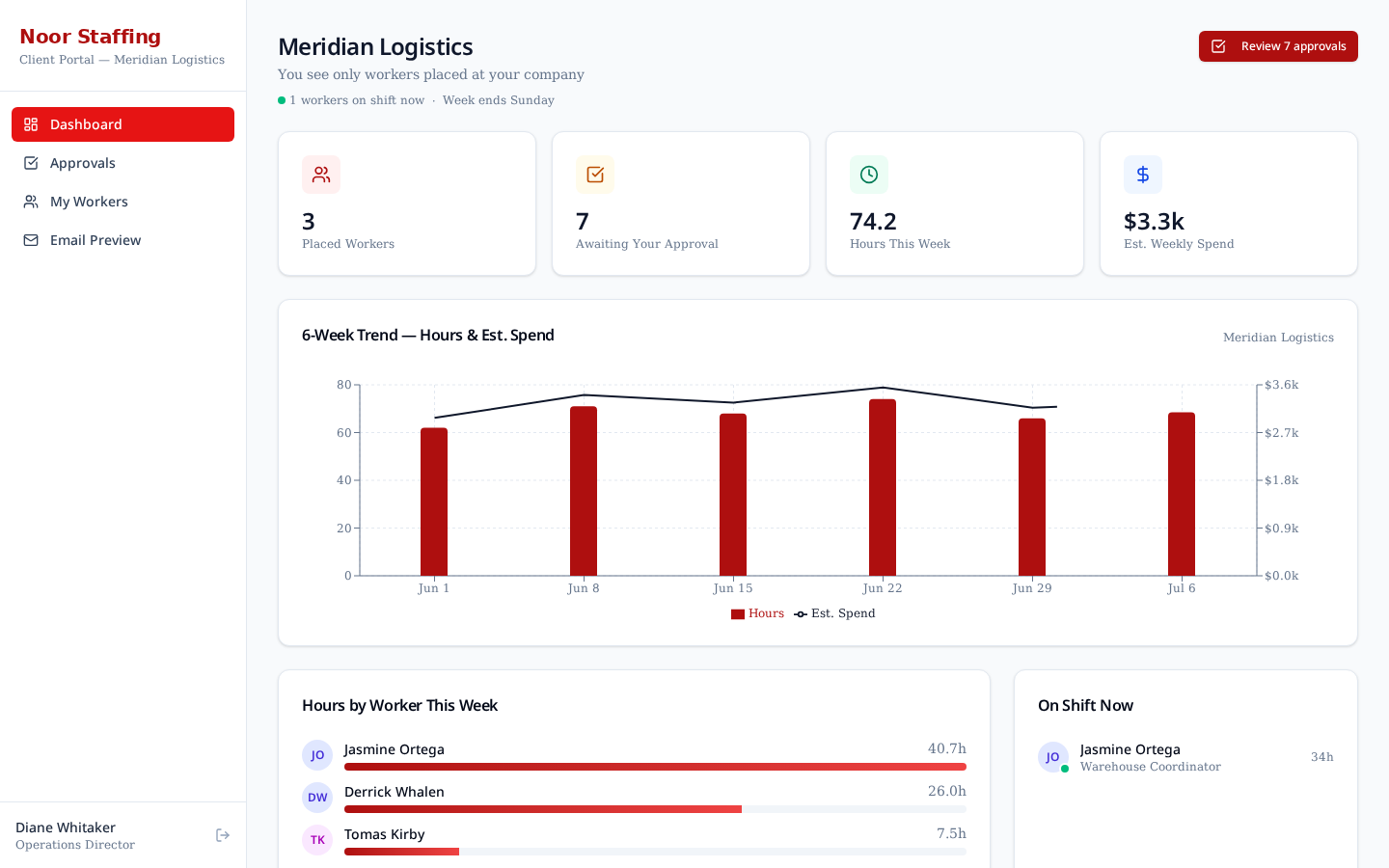
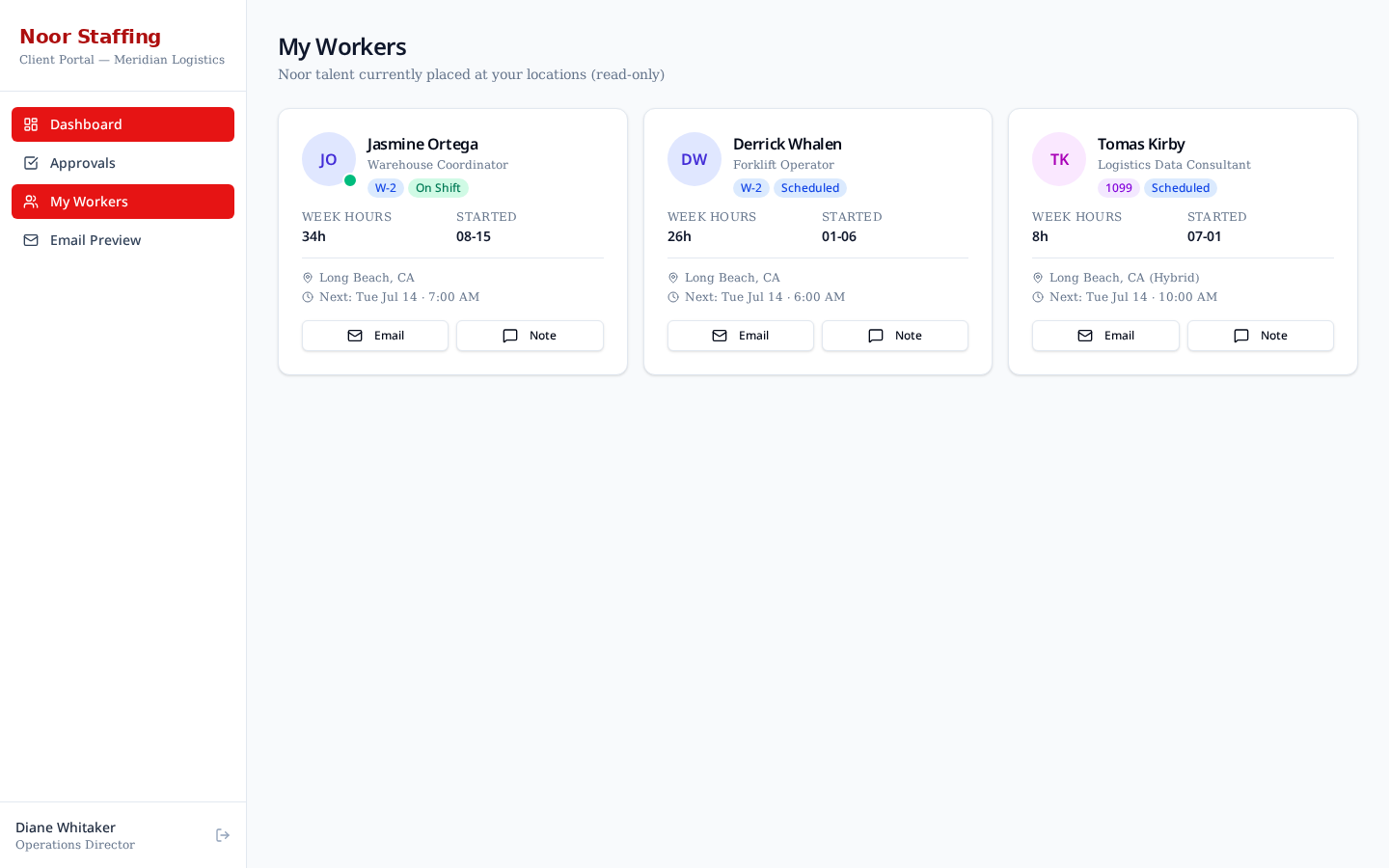
The client portal is deliberately narrow — it only shows what a client manager needs to approve time and understand their spend. No worker PII beyond what's already in the placement, no billing rate details.
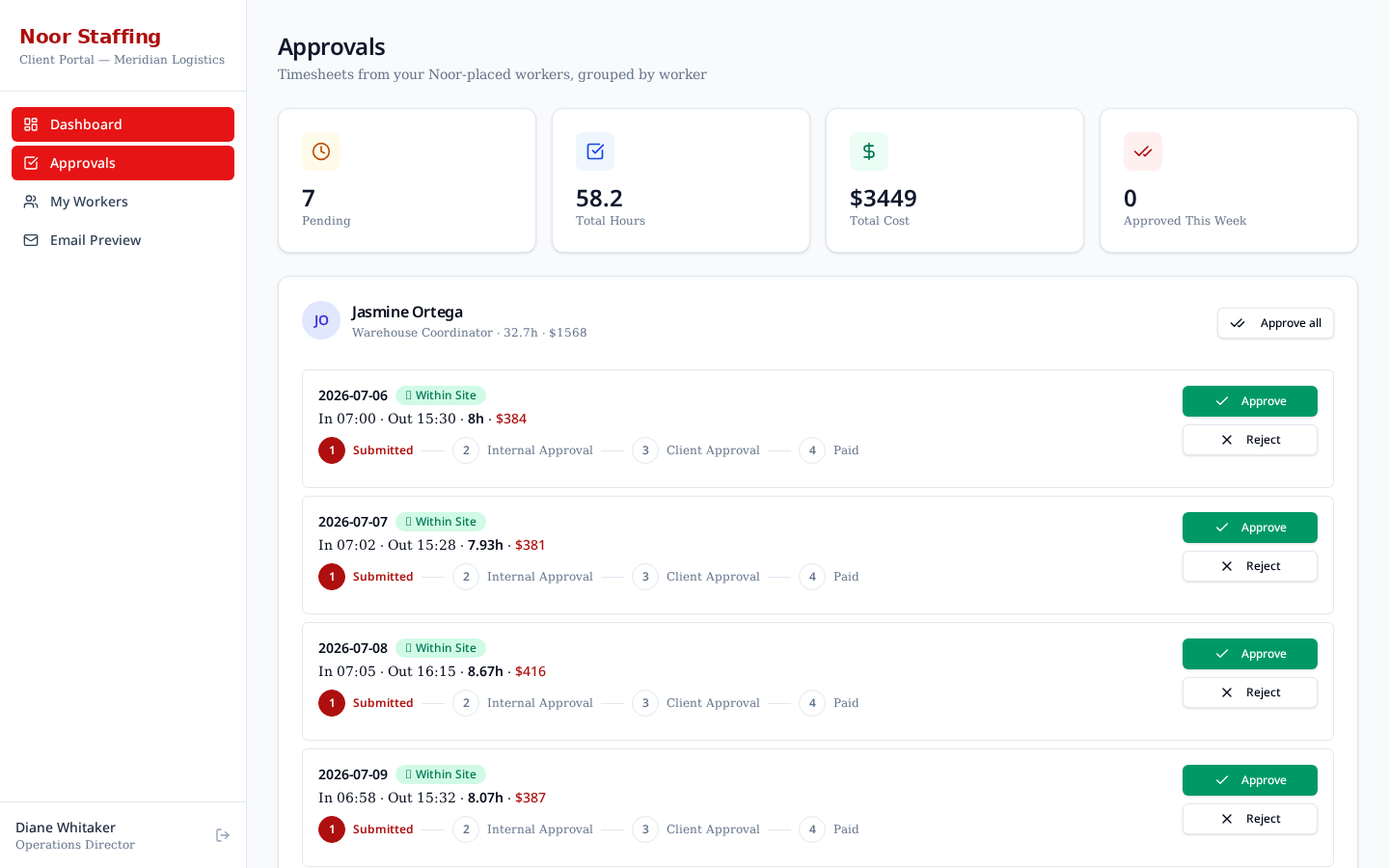
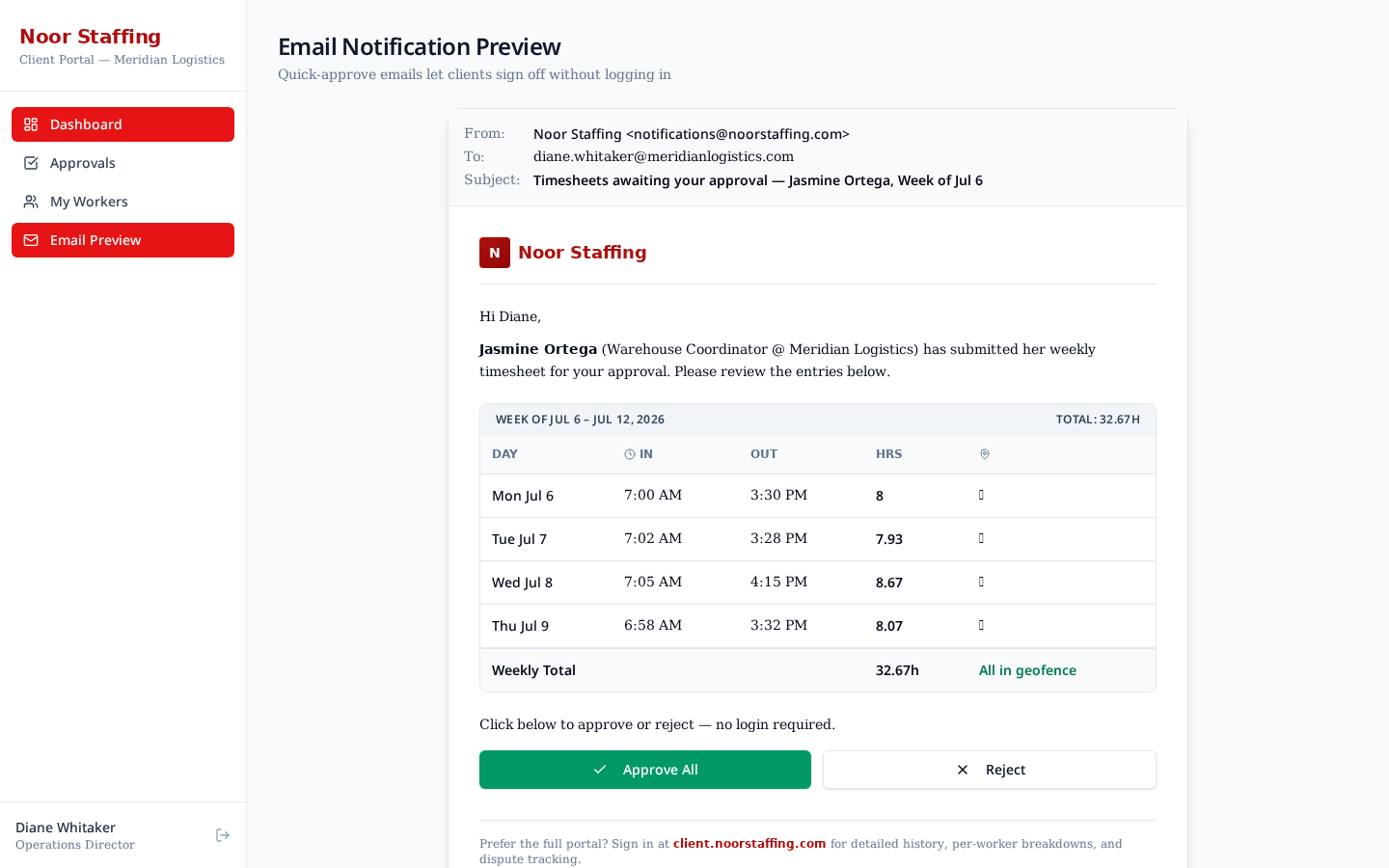
A 6-week hours & spend trend chart, an on-shift worker feed, a bulk approval queue, and an email-quick-approve preview cover the demo conversation.
9. Cross-cutting Flows
- Time capture → Approval → Sync: worker submits, internal ops reviews, client approves, Avionté sync runs.
- Dynamic approval chain: each placement carries an `approvers[]` list. The `ApprovalStepper` renders that list live, so different placements can require different sign-offs.
- Adjustments: any change to a submitted entry (e.g. 8h → 6h) creates an audit row with actor, timestamp, and reason.
- Exceptions: geofence violations and pending adjustments are surfaced on the admin dashboard and in the exceptions view.
- Bottleneck view: the approval funnel shows how long entries wait at each stage so ops can see where the queue is stuck.
10. Data Model (mocked)
The mock data in `src/lib/mock-data.ts` and `src/lib/demo-data.ts` uses Avionté-shaped entities. Field names below are what a real integration would map to.
| Entity | Key fields | Notes |
|---|---|---|
| Talent | id, firstName, lastName, type (Employee | Consultant), status, docs, ptoBalance | Docs include I-9, W-4, cert. of insurance for consultants |
| Client | id, name, contacts[], activePlacements | Contacts carry approver role |
| Placement | id, talentId, clientId, jobTitle, payRate, billRate, approvers[] | Approvers drives the dynamic stepper |
| Timesheet Entry | id, placementId, dayWorked, hours, status, geofence, adjustment | Status: Saved → Submitted → Internal Approved → Client Approved → Synced |
| Approval | actor, stage, at, note | One row per approver step |
| Sync Log | at, direction, entriesPushed, result | Mocked Avionté push responses |
11. Build Log
- Round 1 — Skeleton: four role dashboards, landing role picker, mock seed data, basic AppShell.
- Round 2 — Depth: page headers, stat cards, filter bar, detail drawer, activity feed, hours-by-day chart, payroll cutoff banner.
- Round 3 — Talent depth: tabbed detail drawer (Profile / Timesheets / Compliance / Notes), avatars, accrual history, sync history log.
- Round 4 — Client polish: 6-week trend chart, on-shift feed, email quick-approve preview.
- Round 5 — Spec gaps closed: geofence hard-block modal, dynamic approval stepper reading from `placement.approvers[]`, admin Live view, admin Funnel view, admin Roadmap / Business Doc (this page).
12. Gap Analysis vs Original Spec
The prototype covers every discovery-call requirement that can be demonstrated without a real backend. The table below shows the state of each.
| Requirement | State | Notes |
|---|---|---|
| Geofenced W-2 punch in/out | Simulated | Toggle in the employee timesheet |
| Consultant weekly hour entry | Built | Weekly grid with submit |
| Configurable approval chain | Built | Dynamic from placement.approvers[] |
| Email quick-approve for clients | Built (preview) | Buttons work in the in-app preview |
| Avionté sync | Stubbed | Mock sync log with realistic field map |
| Exceptions dashboard | Built | Admin exceptions + funnel views |
| Live view of who's on shift | Built | /admin/live |
| PTO accrual for W-2 | Built | Balances, history, request form |
| Real GPS | Not in prototype | Simulated toggle instead |
| Real auth / SSO | Not in prototype | Role picker on landing |
| Payroll processing | Not in prototype | Out of scope for demo |
| Native mobile app | Not in prototype | Desktop-only for demo |
13. Proposed Roadmap
These are the items surfaced by the discovery call that are not in the current prototype. They are the menu for the Thursday scoping conversation.
14. Open Questions & Next Steps
- Tony to send Avionté API credentials and docs so integration can be scoped.
- Contracts to be reviewed before any production work.
- Separate personal check-in with Deris (missed the discovery call).
- Confirm which two or three 'Proposed' items become the next build cycle.
- Decide whether the mobile experience is a PWA or a native app.
15. Appendix — Screen Inventory
Thumbnails of every screen captured in this document, in nav order.